Every September, Caribbean school systems face the same deadline pressure. Classrooms need to be ready. Teachers need to be equipped. And the IT team has a window measured in days — not weeks — to make it happen. But what happens when the scale jumps from dozens of devices to two thousand?
A public sector education organization in the Caribbean faced exactly this challenge. Two thousand Windows 11 devices. Teaching staff distributed across multiple sites. A firm go-live deadline. And a clear mandate: every device had to be secure, standardized, and ready to support classroom instruction from day one.
Without a centralized management platform, a rollout at that scale becomes unmanageable fast. Manual configuration generates errors. Inconsistent security settings leave gaps. Every device that fails to join the corporate Wi-Fi, gets loaded with unauthorized software, or disappears from inventory creates a support ticket and a frustrated teacher. For an organization that cannot afford to delay the start of term, the margin for error was zero.
ICT365 delivered the rollout using Microsoft Intune and Windows Autopilot — turning a high-pressure, large-scale deployment into a structured, zero-touch process that left the organization's IT team fully in control.
The Challenge: 2,000 Devices, One Deadline
The education organization came to ICT365 with a clear brief and an uncomfortable timeline. Two thousand Windows 11 devices needed to be enrolled, configured, secured, and distributed to teaching staff before the school year began. The requirements were not negotiable:
- Every device had to connect automatically to the organization's corporate Wi-Fi at each site — without requiring teachers to enter credentials or navigate network settings
- Software installations had to be controlled — only approved educational and productivity tools could be deployed; teachers could not freely install unauthorized applications
- Security baselines had to be consistent across every single device — encryption, endpoint protection, and update policy enforced uniformly, not manually configured one machine at a time
- Internal IT staff could not carry the full weight of the rollout — the team was stretched across other priorities, and a deployment of this size required dedicated support on the ground
The underlying risk was significant. An unmanaged Windows 11 device in a school environment is a liability. Without centralized control, a single device can become a pathway for data exposure — through unpatched vulnerabilities, unauthorized software, or a lost laptop with no encryption and no remote wipe capability. Multiply that risk by two thousand, and the case for doing this right becomes clear.
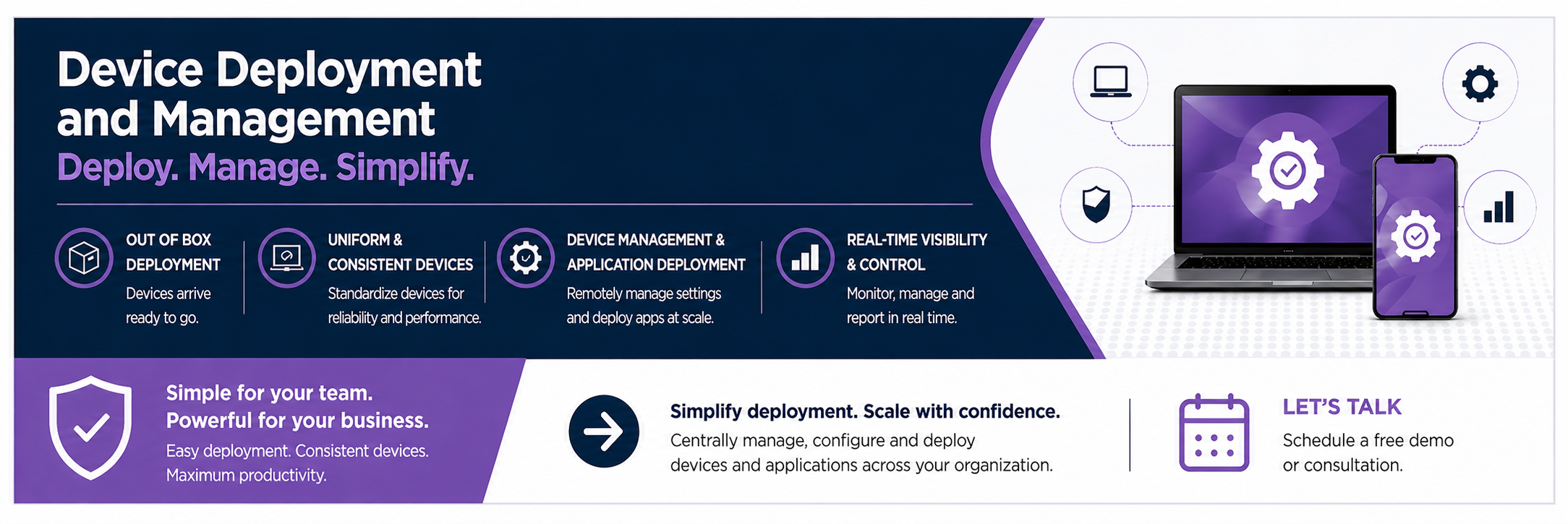
ICT365 deployed 2,000 Windows 11 devices across multiple school sites using Microsoft Intune and Windows Autopilot.
Why Unmanaged Windows 11 Devices Create Risk in Education
It is easy to assume that a device handed to a teacher is automatically secure. The device is institution-owned. It was purchased through proper channels. It shipped with Windows 11. What could go wrong?
In practice, a Windows 11 device not enrolled in a Mobile Device Management (MDM) platform creates gaps that are difficult to close once the fleet is in use.
No centralized policy enforcement means each device only has whatever security settings it shipped with or whatever a user has changed since. BitLocker encryption, screen lock timers, and Windows Defender configuration have to be verified and adjusted device by device. In a fleet of two thousand, that is not realistic — it means some devices will meet the required security standard and others will not.
No controlled software environment means teachers can install anything from the internet. An unauthorized application — a browser extension with data access, a file-sharing tool, a free productivity app with unclear data handling — creates a compliance exposure in an environment that handles student data.
No remote management capability means a lost or stolen device stays active indefinitely. Without MDM enrollment, there is no way to remotely wipe the device, revoke access to organizational resources, or confirm that the data on it is encrypted. Every lost laptop in an unmanaged fleet is a permanent data risk.
No audit trail means IT teams have no visibility into what is installed on each device, whether Windows updates have been applied, or whether devices are meeting security policy. Devices that are invisible in reporting do not appear in risk assessments — which means problems go undetected until they become incidents.
Microsoft Intune closes all of these gaps, and does so in a way that scales to two thousand Windows 11 devices without requiring two thousand manual configurations.
The Solution: Microsoft Intune and Windows Autopilot
Microsoft Intune is the industry-standard endpoint management platform within the Microsoft ecosystem. It integrates natively with Microsoft Entra ID (formerly Azure Active Directory) and the broader Microsoft 365 environment — making it the natural fit for an organization already operating on Microsoft's stack.
For Windows 11 devices, Intune works alongside Windows Autopilot to deliver zero-touch deployment. Under this model, devices are pre-registered in Autopilot before they leave the box. When a teacher powers on their device for the first time and signs in with their organizational account, Autopilot takes over — enrolling the device in Intune, applying the full configuration profile, installing approved applications, and configuring Wi-Fi, all automatically. The teacher arrives at a fully configured, policy-compliant desktop without IT staff manually touching the machine.
ICT365 designed and deployed the full Intune and Autopilot architecture for the organization's two thousand Windows 11 devices, covering device registration, security policy, application management, Wi-Fi configuration, and on-site rollout support.
How ICT365 Built the Enrollment Architecture
A deployment of two thousand devices starts with the back-end — getting the policy framework right before a single machine is powered on.
Windows Autopilot Registration
ICT365 registered all two thousand devices in Windows Autopilot using hardware hash import from the device manufacturer. This established the foundation for zero-touch enrollment: when a teacher signs into their device for the first time with their school credentials, Autopilot recognizes the hardware, enrols it in Intune, and applies the full organizational configuration automatically.
No IT engineer needs to manually configure each machine. The device does the work. A teacher can unbox their laptop, sign in, and have a fully configured, policy-compliant Windows 11 desktop ready in under an hour — without IT staff being present at each individual device.
Security and Compliance Baselines
ICT365 built the organization's security baseline in Intune using Microsoft's Windows 11 security benchmark — a pre-tested set of policies aligned with industry best practice for educational environments:
- BitLocker full-disk encryption — enforced by policy on all devices, protecting data if a device is lost or stolen
- Windows Defender Antivirus — centrally managed and reporting to Intune, ensuring endpoint protection is active and current across the fleet
- Windows Hello for Business — PIN and biometric authentication replacing password-only logon
- Operating system update compliance — devices running versions behind the approved Windows 11 release flagged as non-compliant and blocked from organizational resources
- Conditional Access integration — ensuring only enrolled, compliant devices could access Microsoft 365 applications and school data
Compliance policies work automatically. A device that falls out of compliance — because an OS update was skipped, because a user disabled a security setting, or because the device has not checked in within the required window — is flagged and blocked without requiring manual IT intervention. Enforcement runs continuously, in the background, across the entire fleet.
Controlled Application Deployment via Company Portal
Rather than leaving teachers free to install any software from the internet, ICT365 configured Intune's application deployment to push required tools silently and restrict unauthorized installations.
Core educational tools, productivity applications, and communication platforms were deployed automatically to all enrolled devices — appearing installed when teachers first logged in. For software that teachers might need on request, ICT365 configured the Intune Company Portal app, giving teachers a curated self-service catalogue of approved applications they can install without raising an IT support ticket. Software outside the approved list requires administrator approval before deployment.
Pre-Configured Wi-Fi Profiles
Wi-Fi onboarding is one of the most common friction points in large-scale device deployments. In a typical unmanaged setup, each user manually selects the network, chooses the authentication type, and enters credentials. Across multiple sites with different network configurations, this generates inconsistency and a high volume of Day 1 support calls.
ICT365 deployed Wi-Fi configuration profiles through Intune, covering each of the organization's sites. Every enrolled device received the correct network configuration for its location automatically — delivered as part of the Autopilot enrollment flow, before the teacher ever touched the device. Connecting to the school network required no user action. The device joined the right network as soon as it came within range.
Windows Update Management
Keeping two thousand Windows 11 devices consistently patched is one of the most underestimated challenges of fleet management. Left to default settings, devices update at random intervals, creating version drift that complicates support and leaves some machines exposed to known vulnerabilities longer than necessary.
ICT365 configured Windows Update rings in Intune — a staged approach to update delivery that tests updates on a pilot group of devices before rolling them out to the broader fleet. Critical security patches deploy on an accelerated schedule. Feature updates follow a controlled timeline that avoids disrupting staff during term time. The entire fleet stays current, consistently, without individual devices being managed one at a time.
On-Site Support: Why Presence Matters on Rollout Day
Technical preparation done in advance reduces the likelihood of problems on rollout day. It does not eliminate them entirely. In a deployment of two thousand devices across multiple sites, edge cases are inevitable — a device that did not complete Autopilot enrollment correctly, a teacher account that needs adjustment, a site where network connectivity needs troubleshooting before devices can reach the Intune service.
ICT365 provided dedicated on-site technical support throughout the rollout period. Engineers were present at distribution points across the organization's sites, resolving issues as they arose. A problem that takes hours to work through a helpdesk queue takes minutes when an engineer is standing next to the machine.
On-site presence also changes the experience for teachers. Watching a problem get resolved quickly and clearly — in person, on rollout day — creates a different relationship with the technology than the one formed when issues are left in a support queue. The rollout becomes a demonstration that the support structure works, not a source of uncertainty at the start of the year.
The Outcome: 2,000 Devices, Structured and Secured
By the close of the rollout, the organization had moved from an unmanaged fleet to a fully governed Windows 11 environment:
- All 2,000 devices registered in Windows Autopilot and enrolled in Microsoft Intune
- BitLocker full-disk encryption enforced across every device — data protected if a machine is lost or stolen
- Windows Defender centrally managed and reporting — endpoint protection active and current across the fleet
- Windows 11 security baseline applied consistently — no device left with default, unaudited settings
- Approved application catalogue deployed silently — required tools installed and ready before first use
- Wi-Fi profiles pre-configured for each site — devices joined the network automatically on first sign-in
- Windows Update rings active — patches delivered on a controlled schedule, keeping the fleet current without disrupting term time
- Compliance policies monitoring continuously — non-compliant devices flagged and blocked from organizational resources without manual IT review
- Remote management established — lost or stolen devices can be located, locked, or wiped from the Intune console
- Scalable foundation in place — future device additions follow the same Autopilot enrollment process, with no additional per-device configuration effort
Why ICT365 for Education Technology Rollouts?
Scale deployments in education operate under constraints that standard enterprise IT projects do not face. The go-live date is set by the academic calendar, not project convenience. The end users are teachers, not IT professionals. The organization has to keep running — lessons do not stop because a device rollout is in progress.
ICT365 brings:
- Microsoft platform expertise — Certified engineers who design and deploy Intune and Autopilot environments that work at scale, not just in controlled test conditions
- Education sector experience — Understanding of the operational pressures facing Caribbean public sector education organizations, including term-based deployment timelines and distributed site environments
- On-the-ground presence — A Cayman Islands-based team that can provide on-site support on rollout day, not just remote guidance during business hours
- Built for handover — Deployments are documented and structured so the organization's own IT team can manage the environment independently after go-live, without ongoing dependency on external support
Frequently Asked Questions
What is Windows Autopilot and how does it work with Intune?
Windows Autopilot is Microsoft's zero-touch deployment service for Windows 11 devices. Devices are pre-registered using their hardware ID before they leave the box. When a teacher powers on the device and signs in with their school account, Autopilot recognizes the hardware, automatically enrolls it in Intune, and applies the full organizational configuration — security policies, approved applications, Wi-Fi profiles — without any manual IT setup per device.
How quickly can 2,000 Windows 11 devices be enrolled?
With Autopilot and Intune configured correctly, the enrollment process for each device happens automatically during first sign-in and typically completes within 30 to 60 minutes per device. Since the process runs without IT staff present at each machine, the speed of physically distributing devices to teachers becomes the main constraint — not the technical enrollment process itself.
Is BitLocker encryption enabled automatically through Intune?
Yes. ICT365 configures BitLocker enforcement as part of the Intune security baseline. When a device enrolls, BitLocker is automatically enabled on the system drive. Recovery keys are escrowed to Entra ID — accessible to the IT team if a teacher is locked out — so encryption does not create support overhead. The fleet is encrypted from day one, without manual steps.
What happens if a managed Windows 11 device is lost or stolen?
An enrolled Intune device can be remotely locked, located using Windows Find My Device (where enabled in policy), or fully wiped from the Intune administrator console. Because BitLocker encryption is enforced by policy, the data on a lost device is protected even before a remote wipe completes. A lost or stolen device does not become a permanent data exposure when MDM enrollment and encryption are in place.
Can Intune manage other device types in addition to Windows 11?
Yes. Microsoft Intune manages Windows, macOS, iOS, and Android devices from a single management console. Organizations operating a mixed fleet — for example, Windows 11 laptops for teachers alongside iPads for students — can manage the full environment through the same platform with consistent policy applied across all device types.
Scaling Caribbean Education Technology With Confidence
A large-scale Windows 11 deployment done right sets an organization up for years of clean, manageable, secure device operations. Done poorly, it creates a support burden that compounds every term — devices falling out of compliance, unauthorized software accumulating, lost laptops generating unresolved data risks.
ICT365 helps Caribbean education organizations get device deployments right — from the Autopilot and Intune architecture through to on-site rollout support and structured post-deployment handover. Whether the challenge is an upcoming large-scale project, a need to bring an existing unmanaged fleet under centralized control, or an assessment of what Intune can do for a specific school environment, the team is ready to help.
---
ICT365 – Delivering IT Solutions Across the Caribbean
Client name has been intentionally removed from this case study to protect confidentiality. References are available upon request.