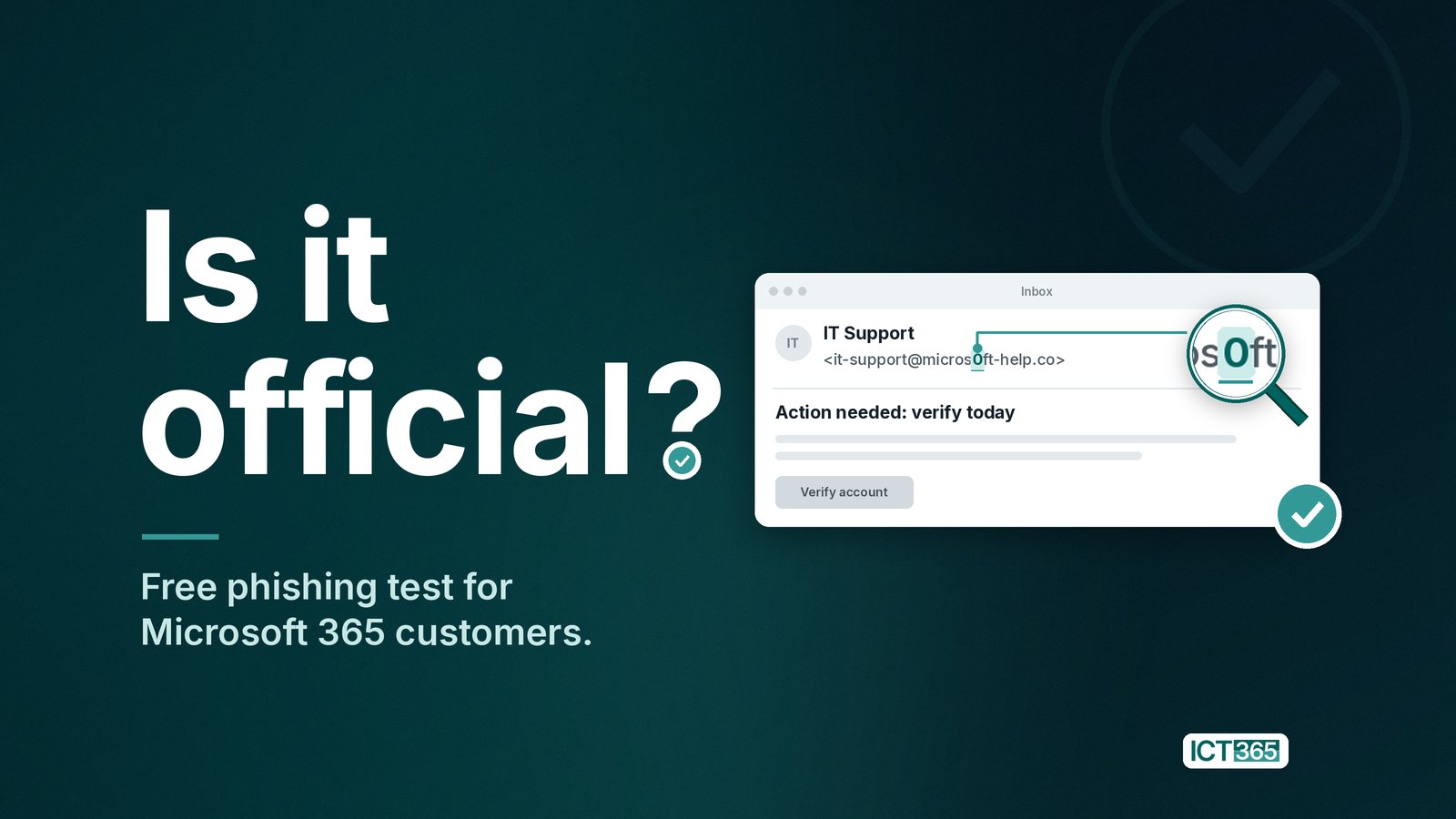
Is it official? Pause, check for yourself, then act.
The Cayman Islands Government's Cyber Safe campaign is under way, and its first phase asks a simple question: "Is it official?" It's a 12-month campaign, and the advice is refreshingly plain: before you click, download, reply, pay, share or forward, check for yourself. You can read the guidance at GOV.KY/cybersafe.
I think it's exactly the right question. So, in support of that message, I want to share why it matters so much for businesses here, what has changed in the last couple of years, and one practical thing ICT 365 can do to help your team build the habit.
Why phishing matters so much in Cayman
We're a small, close-knit place with a big international footprint. Financial services, professional firms, tourism and hospitality all run on trust, quick replies and email. That's what makes us good to do business with, and it's also what phishing takes advantage of.
A convincing email from a "director" asking for an urgent transfer, a "supplier" with new bank details, or a "Microsoft" notice asking you to verify your password doesn't need to fool everyone. It only needs to fool one person on one busy afternoon. And because everyone here knows everyone, a single compromised mailbox can quickly be used to email friends, clients and neighbours who have every reason to trust it.
None of this is about blame. Good, careful people get caught out by good, careful fakes. The aim is to make pausing and checking a normal, everyday habit.
Is it official? Pause, check for yourself, then act.
How AI has changed phishing
For years the advice was "look for bad spelling". That advice has aged badly. Attackers now use AI tools to write fluent, polished messages in local language and tone, to tailor lures to a specific person or business, and to do it at scale. Voice cloning means a phone call or voice note that sounds like someone you know isn't proof either. However real it sounds, it's worth checking through a number or channel you already trust.
A few figures from reputable sources show the shift:
- AI-written phishing works better. Microsoft reports that "AI-automated phishing emails achieved 54% click-through rates compared to 12% for standard attempts—a 4.5x increase." (Microsoft Digital Defense Report 2025)
- More of it is machine-written. Verizon found that "synthetically generated text in malicious emails has doubled over the past two years." (Verizon 2025 Data Breach Investigations Report)
- People are still the main target. The same Verizon report puts human involvement in breaches at 60%. (Verizon 2025 DBIR)
- The volume is huge. The Anti-Phishing Working Group observed 3.8 million phishing attacks during 2025. (APWG Phishing Activity Trends Report, Q4 2025)
- Email fraud is expensive. Business email compromise accounted for $3,046,598,558 in reported losses to the FBI's Internet Crime Complaint Center in 2025. (FBI IC3 2025 Internet Crime Report)
The takeaway isn't panic. It's that technology and people need to work together: good filtering to stop most of it, and confident staff to catch what gets through.
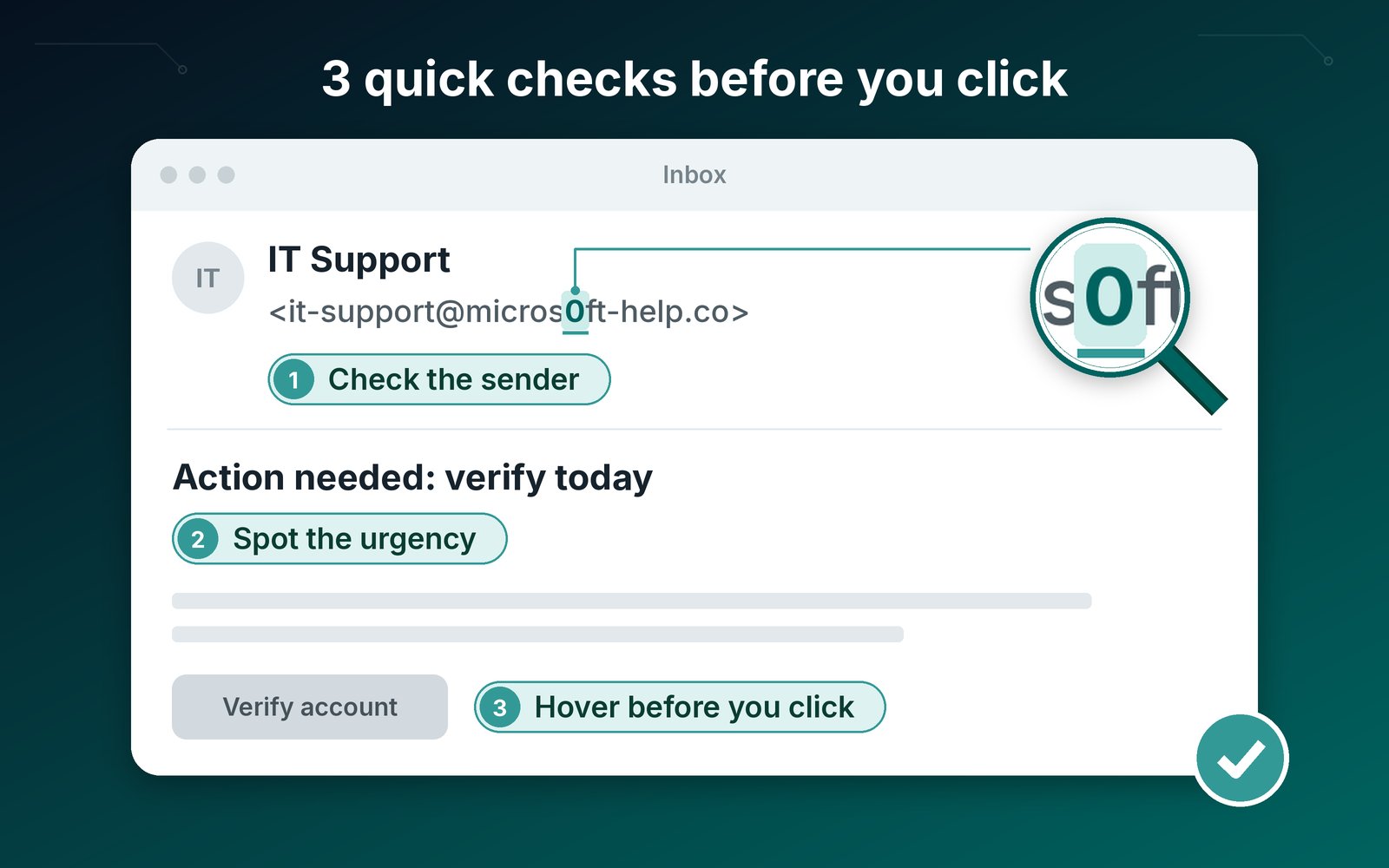
Three quick checks: who it's really from, whether it's rushing you, and where the link actually goes.
What Microsoft 365 already gives you (and what it doesn't)
If your business uses Microsoft 365, you already have a solid foundation. The trick is knowing which protections you're licensed for and making sure they're switched on and tuned properly.
Exchange Online Protection
Every Microsoft 365 subscription with Exchange Online mailboxes includes Exchange Online Protection (EOP), Microsoft's built-in filtering for spam, malware and spoofed email.
Microsoft Defender for Office 365
Defender for Office 365 adds a stronger layer on top:
- Safe Links checks links when they're clicked, not just when the email arrives.
- Safe Attachments opens attachments in a safe environment before they reach your team.
- Anti-phishing with impersonation protection watches for emails pretending to be your people or your domain, including look-alike addresses.
- Attack Simulation Training lets you send realistic, harmless test phishing emails to staff and assign short training to anyone who needs it.
Which plans include what
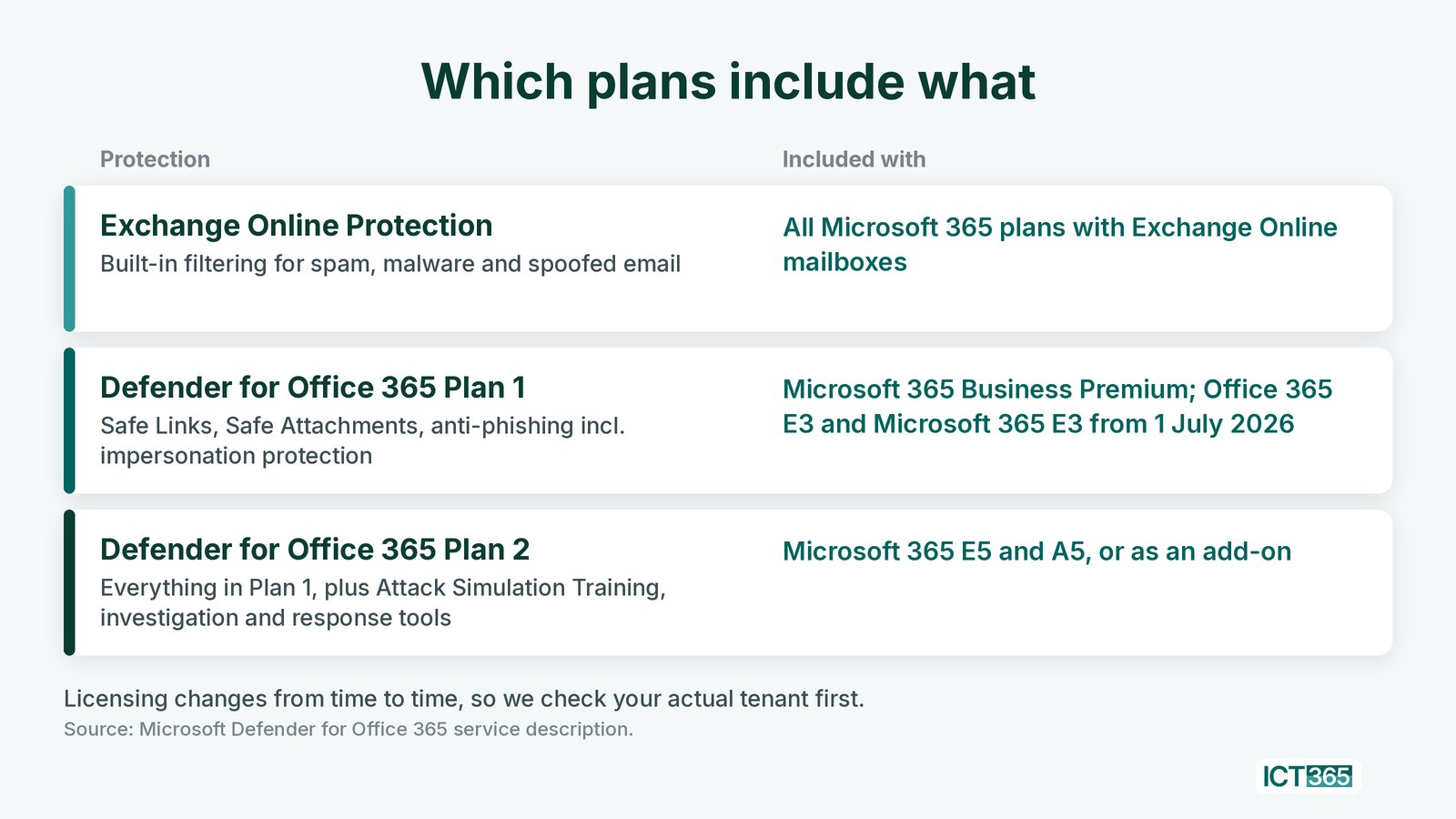
Which Microsoft 365 plans include which email protections. Licensing changes, so we always check your tenant first.
In short, many businesses here have more protection available than they're using, and Attack Simulation Training is the piece most don't have at all.
Three quick checks: who it's really from, whether it's rushing you, and where the link actually goes.
Our offer: a free phishing test for your team
In support of the "Is it official?" message, ICT 365 is offering a free phishing test for businesses on eligible Microsoft 365 plans, available until 30 November 2026.
We use a free, time-limited Microsoft trial to switch on Attack Simulation Training inside your own Microsoft 365 tenant. Your staff receive a realistic but harmless fake phishing email. If someone clicks or forwards it, no passwords or credentials are captured, and everything stays inside your Microsoft environment. Afterwards, your team gets focused training on phishing, fraud and everyday cyber safety.
How it works
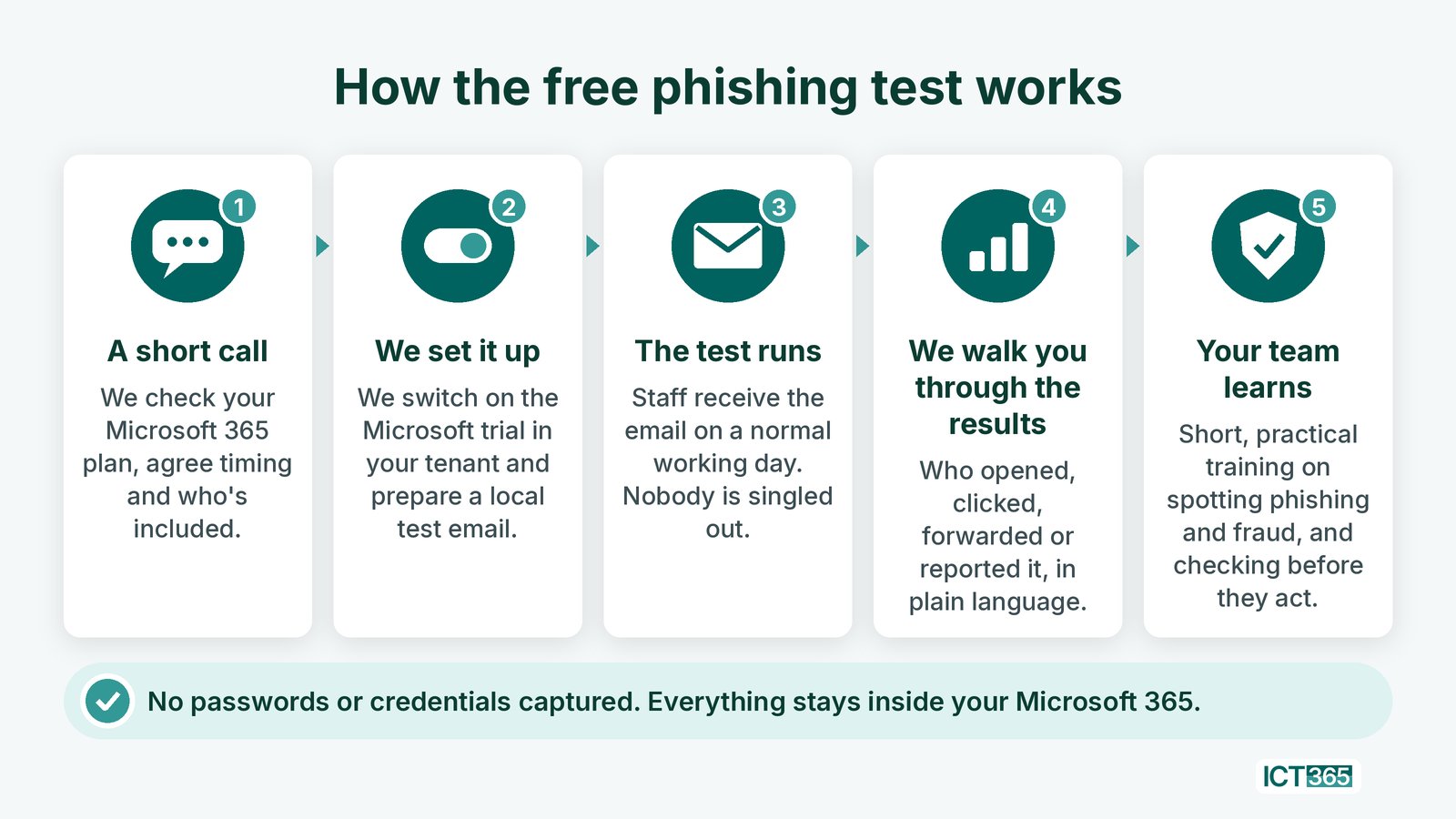
How the free phishing test works, from a short call to targeted training, all inside your own Microsoft 365.
The point isn't to catch anyone out. It's to give your people a safe moment to practise the "Is it official?" habit, so the real thing is easier to recognise.
Frequently asked questions
Who is the free phishing test for?
Businesses and organisations on eligible Microsoft 365 plans. If you're not sure whether your plan qualifies, contact us for details and we'll check for you.
Will any passwords or data be captured?
No. The test runs through Microsoft's own Attack Simulation Training inside your tenant. If someone clicks or enters details, no credentials are captured and nothing leaves your Microsoft environment.
Will my staff be embarrassed or named publicly?
No. Results are shared privately with you, and the focus is on learning, not blame.
Does it cost anything?
The test is free. It uses a free, time-limited Microsoft trial, and there's no obligation to buy anything afterwards. Contact us for details.
How long is the offer available?
Until 30 November 2026. Contact us for details.
Is ICT 365 part of the Government's Cyber Safe campaign?
No. We're a local Microsoft 365 partner sharing the campaign's message in support of it. For official guidance, visit GOV.KY/cybersafe.
If you'd like to see how your team would respond, and help them feel more confident, get in touch. I'm happy to talk it through.
- Email: sales@ict365.ky
- Phone: +1 (345) 745-0365, Mon–Fri 8am–5pm
- Web: ict365.ky
Offer available on eligible Microsoft 365 plans only. Valid until 30 November 2026. Contact us for details.
Client name has been intentionally removed from this case study to protect confidentiality. References are available upon request.